iScreensaver Designer 3

for Windows and Macintosh

Features | Guided Tour | Download Now | Buy Now

make screensaver
Tour for Windows | Tour for Macintosh

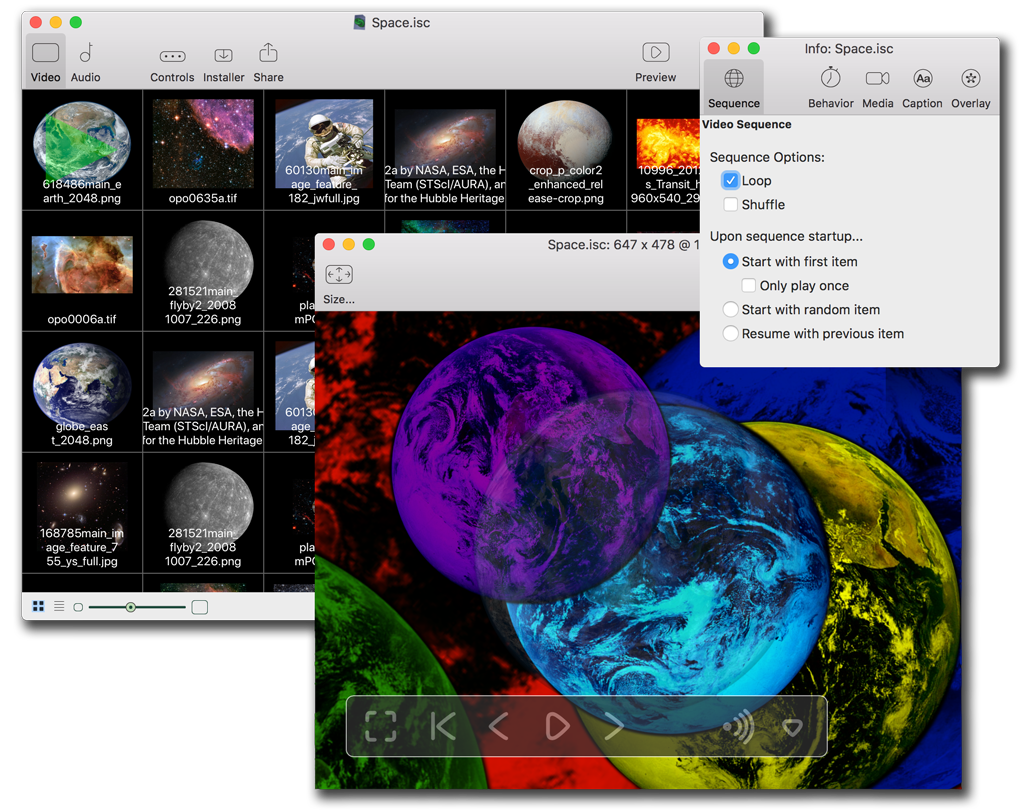
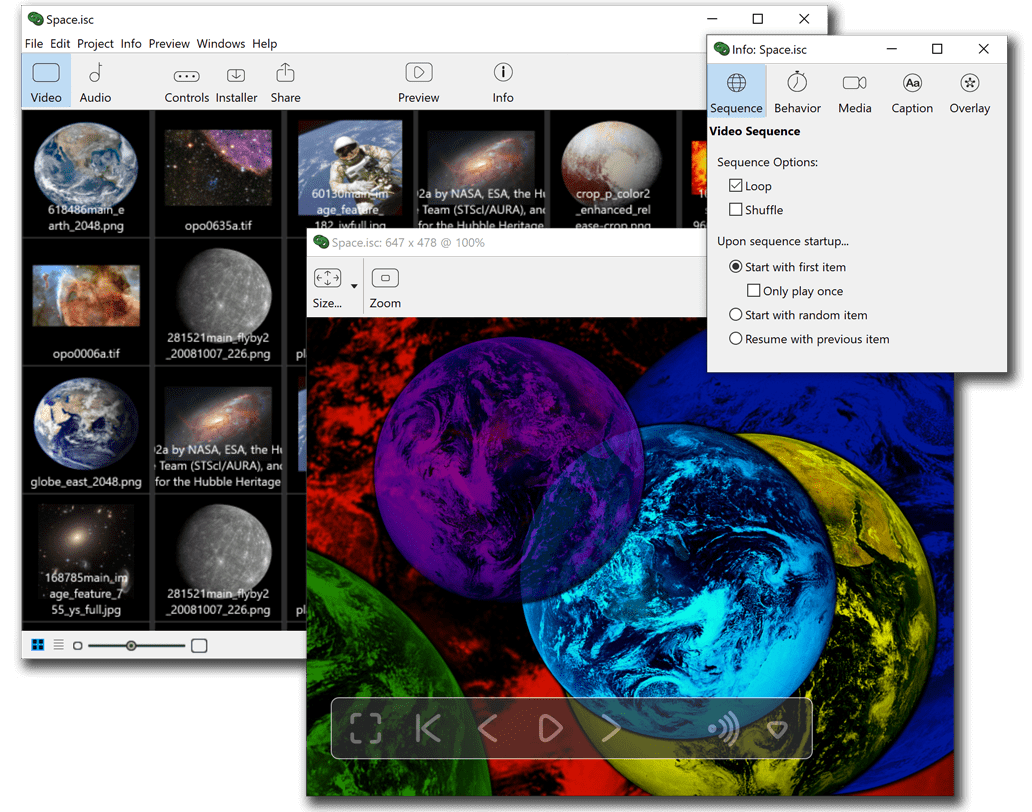
The only product in its class - Designer is an editing and creation tool for making screensavers. It is truly 'cross-platform', in that you can run Designer on either Mac or Windows, and each version can create screensavers for both Mac and Windows. Other products advertise that they support both Mac and Windows, but these solutions require you to run software on both systems, and create two project files, and edit artwork on both -- resulting in nearly 4 times the work!


FEATURES
What's New In Version 3.4?

iScreensaver Designer 3, for Mac or Windows, will convert any QuickTime or Flash movie file, or slide shows of any still images, into standalone installers for Macintosh OS 9 to 10.4, and Windows ME, 2000, XP and 2003. Bringing cross-platform capabilities to your desktop with a single button!

Screensavers created with iScreensaver Designer will function :
- in Windows, as a Screen Saver Control Panel (.SCR file)
- in MacOS 8.6 thru 9.2 as a Control Panel Application
- in Mac OS X, as a System Preferences Screen Saver (.saver file)

Screensaver Features:
  • Popular compatibilty : Works on Windows ME/2000/XP/2003 and Mac OS 9 to 10.4. (System Requirements)
  • Simple install : Clean, single-file Installation, with customizeable installation dialog ( Win | Mac ) Doesn't clutter your hard disk with files. Also doesn't install system extensions or permanent DLLs (which can crash your computer). The screensavers install on both Mac and Windows and can be used immediately without restarting!
  • Alternate Content and Unlocking Feature : Users can obtain a special unlocking code from you to gain access to deluxe content that you have added. Make money with your screensaver!
  • Asset protection : The movie files are stored in a proprietary format, which protects your files from snooping eyes.
  • Password protection : Stops casual snooping of your computer.
  • Screen Resolution : Images and movies can be stretched to fit screen size or played at their natural size.
  • Smart Install : Automatically and safely deactivates other screensavers during the installation process.
  • Auto Re-install : Detects installation problems and offers to fix them automatically.
  • Easy Uninstall : You can deactivate and remove the software from within the screensaver itself. No need to run a separate "uninstall" program.
  • Hot Corners : "Sleep Now" / "Never Sleep" corners for either immediate or no activiation.
  • Silence : Sound controls and global Sound Mute.
  • Wake-up Options : Wake on mouse-click, mouse movement, or keypress only selectable.
  • Website Connectivity : "Link Back" so your screensaver users can easily find your website.
  • Live Preview during installation : Preview the screensaver in operation, before you have installed it!
  • Multiple monitor support : Blanks all other monitors.
Editing Environment Features:
  • Movies : Turn any QuickTime movie file into a screensaver (including Flash, MooV, MPEG, MP3, MIDI, etc.).
  • Slide Shows : Turn any QuickTime image files into a screensaver (including Picts, JPGs, BMPs, PNGs, etc.).
  • Multi-platform Compatiblity : Solid Industry Standards-based (uses standard QuickTime file types, uses the standard Windows .SCR format, and uses the standard Macintosh OS X .saver format).
  • Click'n build : Build (Win | Mac ) a "one-click" installer for easy distribution of your screensaver.
  • Simple-to-use editor : Actually preview ( Win | Mac ) exactly what the Windows and Macintosh modules and Control Panels will look like from the Build System!
  • Alternate Content and Unlocking Features : ( Win | Mac ) Add a second deluxe movie to the screensaver, and select a secret unlocking code. You can then sell the unlocking code on your website, which allows users access to the deluxe movie. Make money with your screensaver!
  • Per-module custom settings : Save multiple projects, with icons, splash screens, and module info.
  • Flexible Cross-platform Project Bundling : Transfer entire projects from Windows to Mac, and vice versa - for when creative teams of designers need to move between systems.
  • Full Branding Available : Splash the screensaver control panel and installer with your corporate logos and text.
  • Much cheaper than the competition : feature to feature.
  • Free Trial Download : Try before you buy with no time limit!
System Requirements for Windows:
Note: We strive for maximum compatability, but can not guarantee operation on any particular system. Please use our free download to make sure the software meets your needs before you purchase. * Note: Some early editions of Windows may not have all the necessary DLLs (e.g. ActiveX or DirectDraw). Windows 95 and 98 are no longer officially supported, but some functions may still work.
Click Here for info about updating your system software.

System Requirements for Macintosh:
Note: We strive for maximum compatability, but can not guarantee operation on any particular system. Please use our free download to make sure the software meets your needs before you purchase.
  • For Screensaver operation:
    • Mac OS 9, Mac OS X 10.1, 10.2, 10.3, 10.4 ** (Mac OS 9.2, 10.3, or 10.4 recommended)
    • PowerPC or Intel class computer (68K is not supported)
    • 64MB of System RAM (96MB or more recommended)
    • 4MB free disk space
    • QuickTime 4 or later (QuickTime 6 recommended)
  • For Editing Screensavers:
** Notes: Mac OS 8.6 is no longer officially supported, however some functions may still work. Additional software from Apple may be required for using Mac OS 8.6, please see this section for functionality. Mac OS 10.0 is no longer supported by Apple and may not function, however information about 10.0 workarounds can be found here.
Click Here for info about updating your system software.