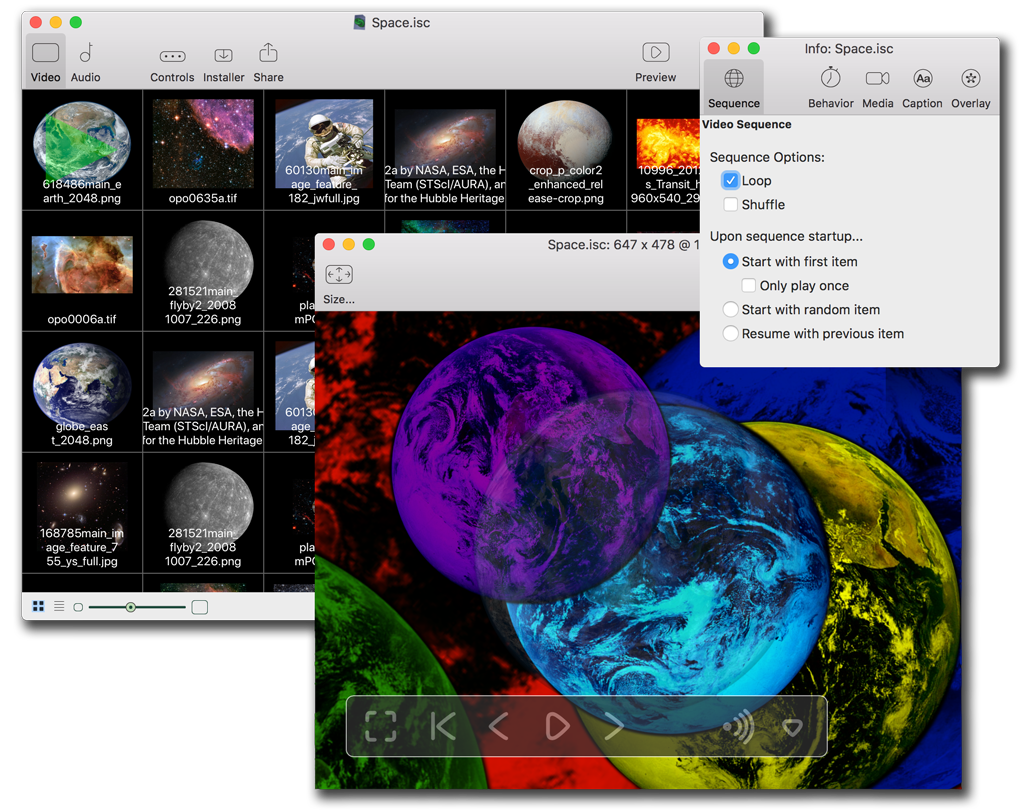
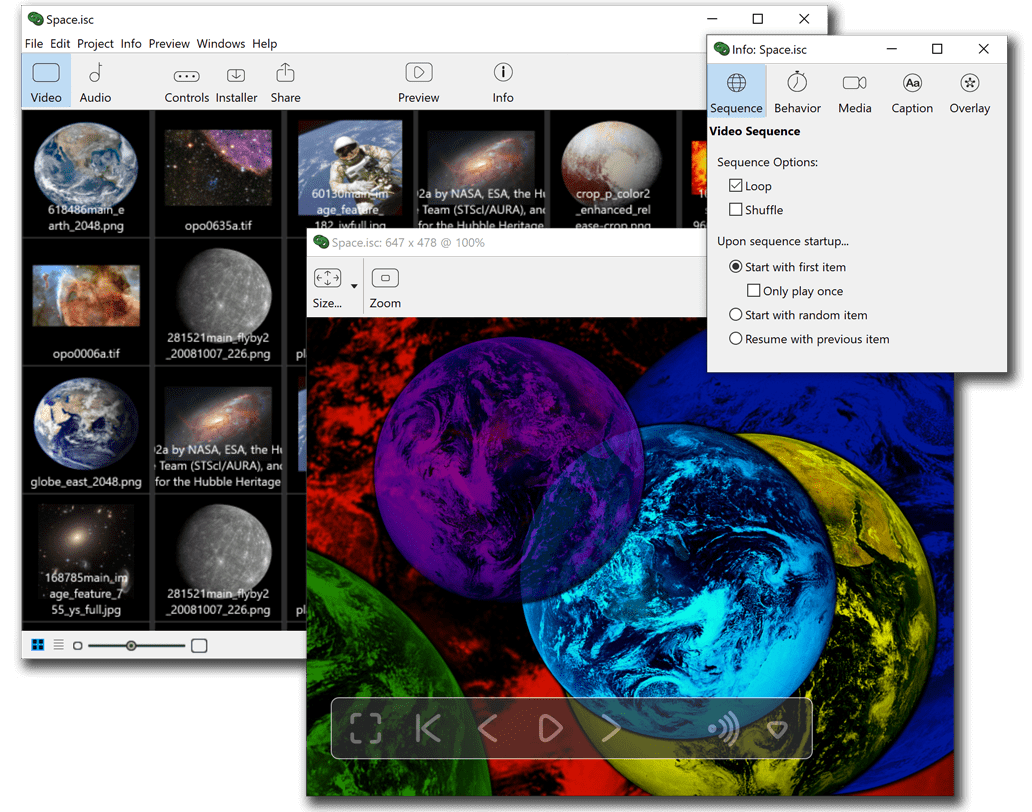
|
|
Introducing iScreensaver Designer™ 3
 |
More Compatible! Version 3 fully supports Windows XP and Macintosh OS X, as well as legacy systems as old as Mac OS 9 and Windows 98. We program so you don't have to!
|
 |
More Capable! Our brand new Slide Show editor makes creating slide shows a snap! Or, use a QuickTime movie, Flash movie, or any other video format. Include a special hidden bonus screensaver inside.
|
 |
More Creative! Now QuickTime 7 supports Macromedia Flash 5 actionscripting. Easy drag-n-drop picture arrangement with our Slide Show editor. Learn with the Free Download and take your knowledge to the Professional level.
|
 |
Best of all - save time and money! Create both Mac and Windows screensavers from the single machine that's on your desk - there is no need to own extra hardware to go cross-platform. Unlike other products, with iScreensaver Designer, what you see is truly what you get. |
iScreensaver Designer. . . Exactly What You Need. |
 |
What is iScreensaver Designer™?
iScreensaver Designer™ allows you to take any QuickTime-compatible movie file (including Macromedia Flash, MPEG, AVI, MOV, etc.), or collection of photo images (BMP, Pict, JPEGs, TIFFs, etc.), and turn these into a full-featured screensaver for both Macintosh and Windows computers.
To use the software, you will need either a PC running Windows (version 98 through XP) or a Macintosh running MacOS (version 8.6* through 10.4). You will also need a movie, video or a bunch of photos or images. You may also customize the screensaver control panel with artwork and text. Unlike other products, iScreensaver Designer is truly cross-platform: a Macintosh computer can build a screensaver for Windows and vice-versa!
What is New in version 3?
The completely redesigned iScreensaver Designer 3 adds several great new features.
- Full support for Mac OS X
- The Editor software now runs natively under both Mac OS X and Mac OS 9 (and even some versions of Mac OS 8.6, Read This for further information).
- Support for Mac OS X Screensavers! Now, the Macintosh screensaver installer will automatically detect whether you are running OS 9 or OS X and install the appropriate screensaver. You only need to build a single installer for any Mac!
- As always, you can still build a Mac screensaver using the Windows editor.
- Full support for Windows XP
- The Editor software now runs natively under all forms of Microsoft Windows, from 98 to XP.
- Support for Mac OS X Screensavers! Now, the iScreensaver Designer for Windows will automatically build installers for OSX, detect whether your clients are running OS 9 or OS X, and install the appropriate screensaver. You only need to build a single installer for any Mac!
- As always, you can still build a Windows screensaver using the Macintosh editor.
- Picture Slide Show Editor
- Now, with a few button clicks, you can create a slide show movie from photos or pictures.
You can easily re-arrange the order of pictures. You can even drag-and-drop images from Apple's iPhoto!
- Over 20 high quality video effects.
- Automatic resizing and JPEG compression of images with full individual manual override (if you like that much control).
- Continued Support for Flash 5 ActionScript and QuickTime 7
- QuickTime 7 provides full support for Flash 5 actionscripting... Why is this important?
This is our most-often-requested feature. Flash 5 ActionScripts provide many new features and lets you build really interactive screensavers.
- Full compatibility with QuickTime 7.
- More Customization and Branding : Enhance your screensaver's 'Look & Feel'
- iScreensaver 2.0 was already the most customizable screensaver editor. We've taken it one step further: Now you can customize the licensing info. For example, if you are a graphic designer, you can do custom projects for your clients that will include Their Name in the licensing info. Available with an Unlimited License.
- Now, with an Unlimited License, include 3 URLs with every screensaver : One to your website, one to the Help section of your website, and one to get an unlocking code.
- Dozens of Enhancements and Bug Fixes!
- Set background color of the window: for movies with non-black background, this lets you have the surrounding window area match the movie's or slide-show's background color
- Automatically do more stuff.
- During screensaver installation, you can set the installer to request that the user upgrade to a specific version of QuickTime (for example, if you are using Flash 5 actionscripting). And, it will do it for them!
- ...and many more...
Copyright ©1995-2010 Xochi Media Inc. All Rights Reserved.
Xochi™, XochiMedia™, iScreensaver™, iScreensaver Designer™,
iScreensaver Classic™, and the DoubleRing logo are trademarks of Xochi Media Inc.
Apple®, Macintosh®, and QuickTime® are trademarks and/or registered trademarks of Apple Computer, Inc.
Adobe® and Adobe Flash® are trademarks and/or registered trademarks of Adobe, Inc.
Microsoft® and Windows® are registered trademarks of Microsoft Corporation.
ENERGY STAR® is registered trademark of the Enivronmental Protection Agency.
ScreenTime™ and CineMac™ are trademarks of ScreenTime Media.
All other trademarks are the property of their respective owners.
Anti-Spam Warning: This corporation and website operate in the state of California of the United States. The sending of any unsolicited email advertising messages to this domain will result in the imposition of civil liability against you in accordance with California Business & Professional Code Section 17538.45.
|